PDF → TI-Nspire CX II

Your notes,
on your calculator.

A free converter that turns any PDF into a .tns document for the TI-Nspire CX II, with one calculator page per PDF page, real zoom, and optional color.

How it works
  • 01PDF converter
  • 02Transfer guide
  • 03AI template for calculator PDFs

Free. Your file never leaves this browser.

Color
Resolution
Text weightDarkens thin text so it stays readable on the small screen. Slide left for bolder text, right to keep the PDF's original weight.
Pages to
Pages per fileHow many PDF pages go into each .tns file. Longer PDFs are split into several files. Fewer pages open faster and use less calculator memory. The maximum is 16.
File name .tns

Texas Instruments
esc tab
⌂ on doc ▾ menu
ctrl ⇧ shift var del
=trig 789 ⧉▭ ^x² 456 ×÷ eˣ10ˣ 123 +− () 0.(−) enter
EEABCDEFG?!▸ π▸HIJKLMN⚑ ,OPQRSTU↵ VWXYZ␣

Click the screen, then try + − and the arrow keys.

How it works

Everything you need to study from your calculator.

Folio converts PDFs into TI-Nspire CX II documents. Each PDF page becomes its own calculator page with a built-in viewer, so you can flip, scroll and zoom like on paper. The conversion runs in your browser, so your files are never uploaded.

  1. 01

    Convert your PDF

    Drop a PDF at the top of the page, choose color and resolution, and download a ready-to-use .tns file. Long PDFs are split into several files for you.

    Convert a PDF
  2. 02

    Send it to your calculator

    A six-step guide for moving the file onto your TI-Nspire with TI's free Connect web app. No software to install.

    Open the guide

Install

From your computer to the calculator.

TI-Nspire CX II Connect is TI's free web app for sending files. No install, no license. It needs Chrome or Edge.

Step 1 of 6

Get your things together

  • A TI-Nspire CX II, CX II CAS, or CX II-T
  • The calculator's USB cable, plus a USB-A to USB-C adapter if your computer only has USB-C
  • Google Chrome or Microsoft Edge
  • The .tns files you converted above

Documents are hidden while the calculator is in Press-to-Test mode, like every other document.

Open Connect

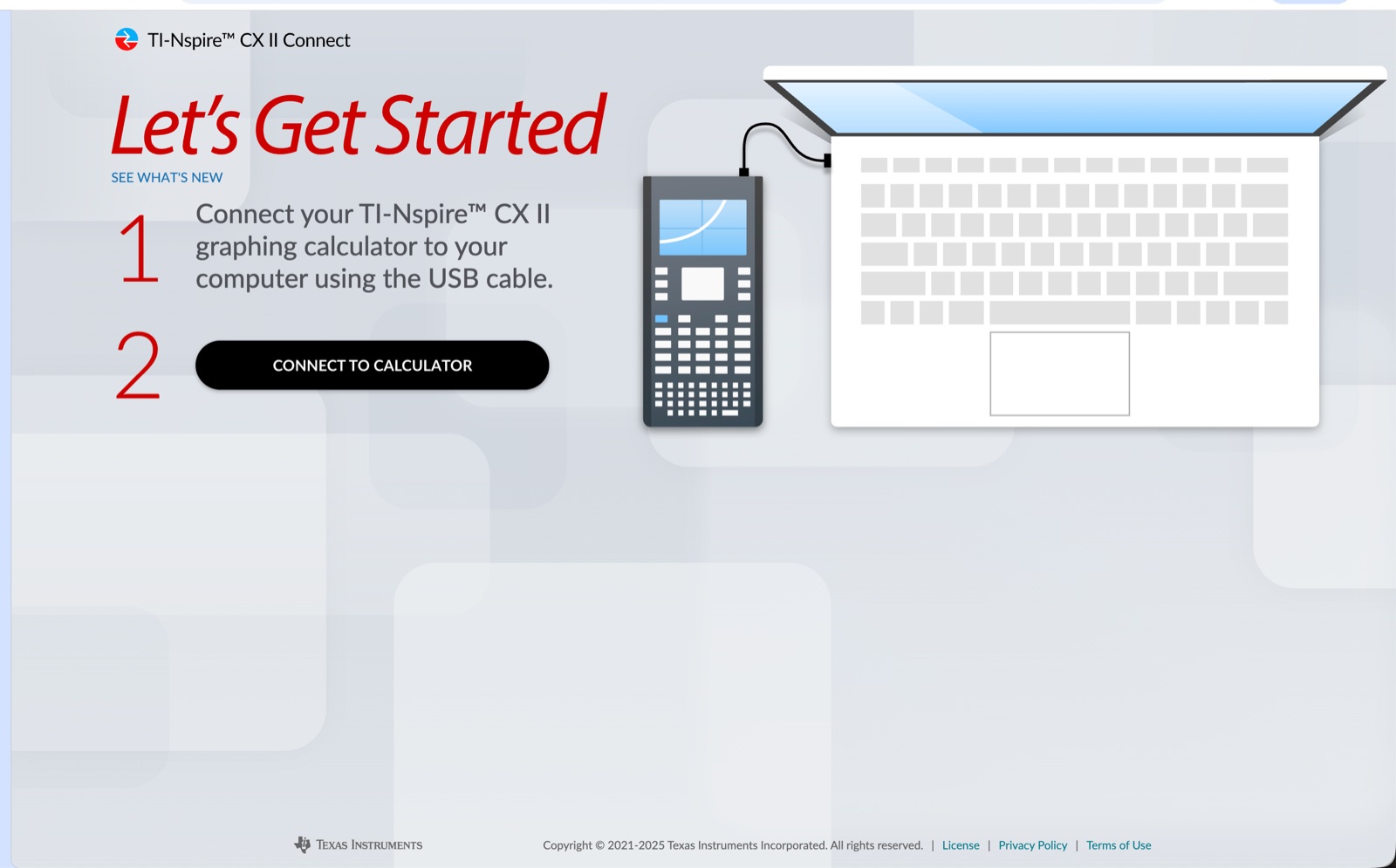
In Chrome or Edge, go to nspireconnect.ti.com. Accept the cookies and TI's terms if asked. The app runs a quick compatibility check.

Plug in and pair

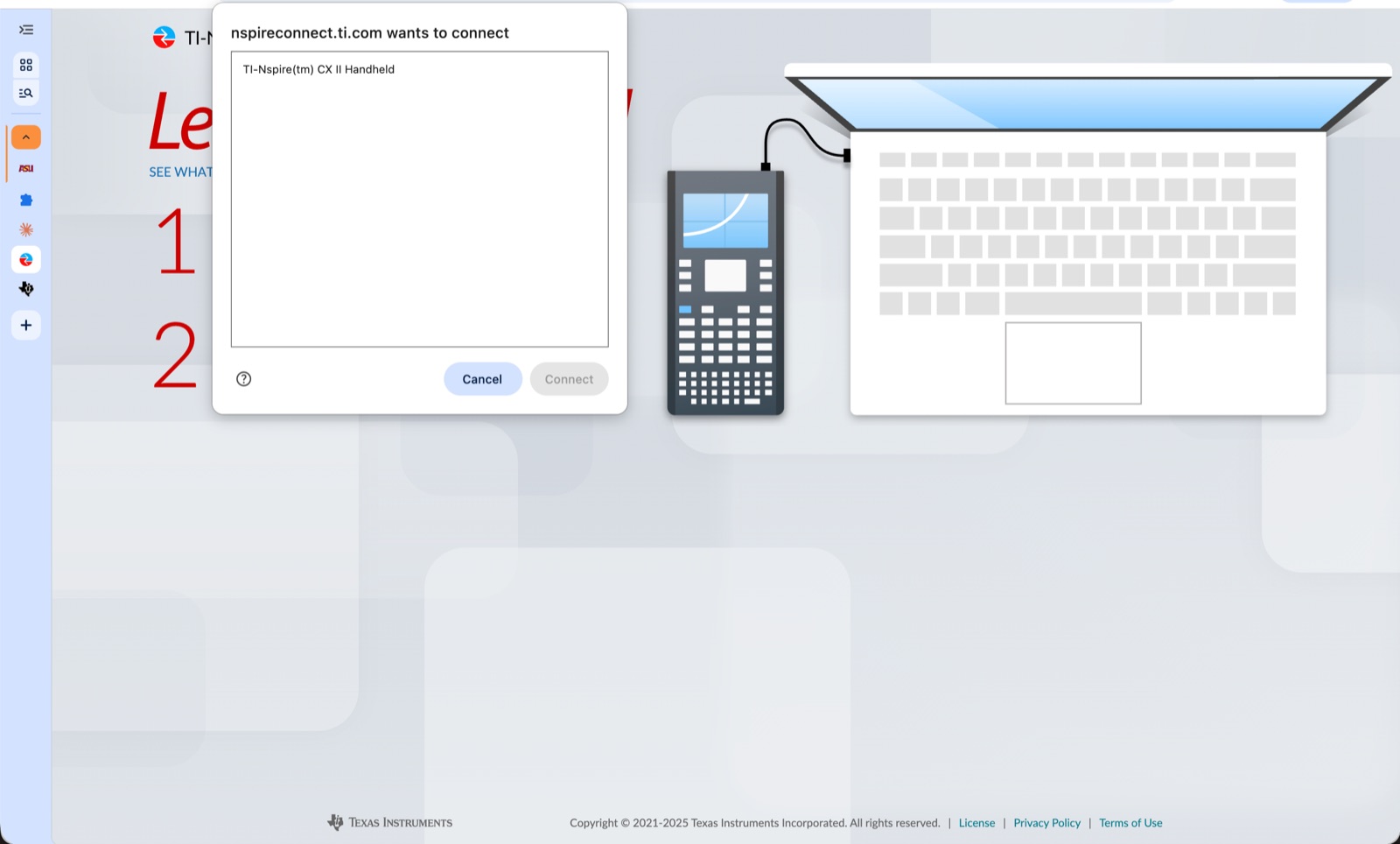
Turn the calculator on and plug it in. Click Connect to calculator, pick your calculator in the pop-up, then Connect.

Send the file

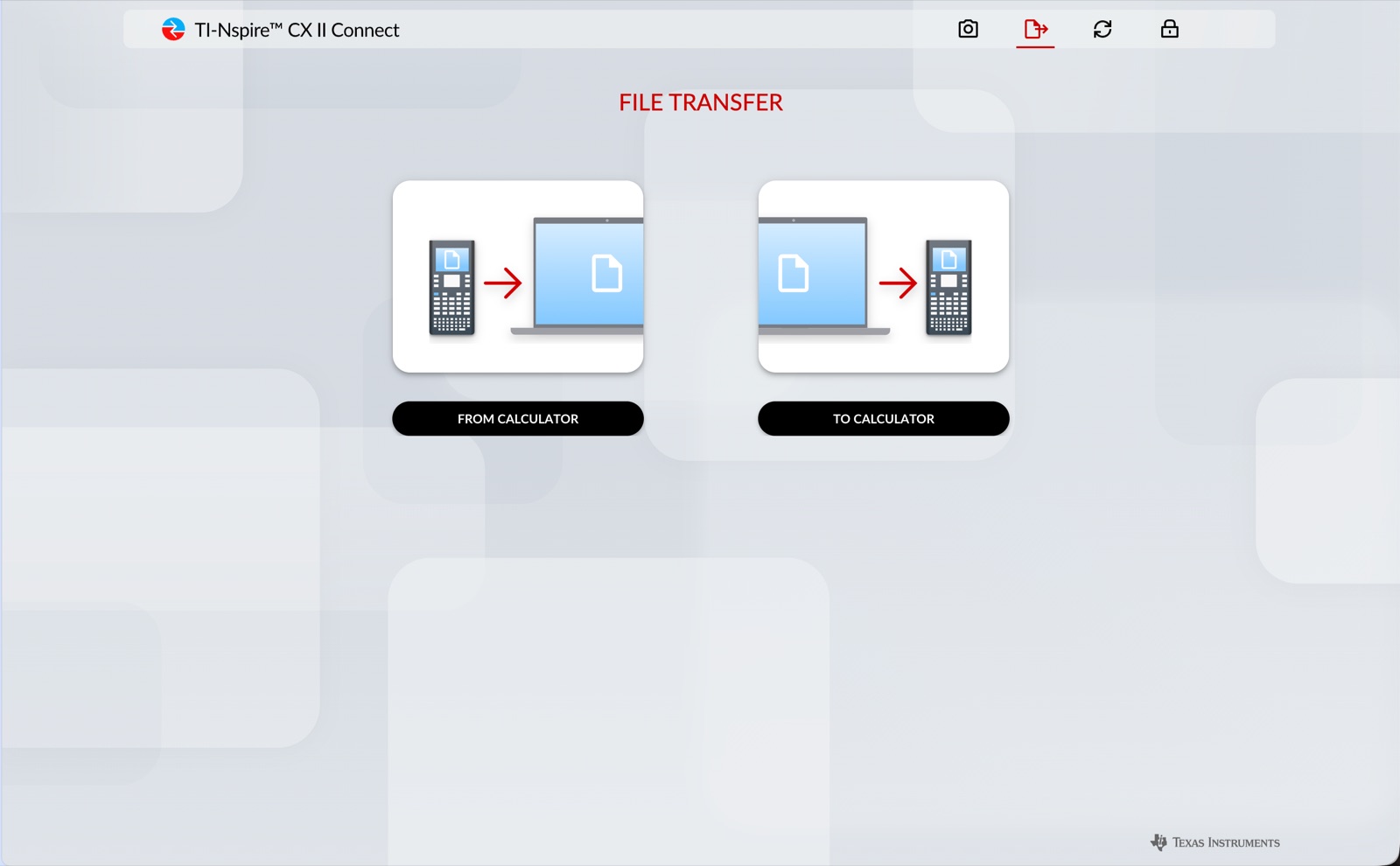
Click Transfer File, then To calculator, then From computer, and select your .tns files. Pick the files themselves, not the folder.

Skip the OS Update page. A newer OS can break tools like Ndless that you might rely on.

Open it

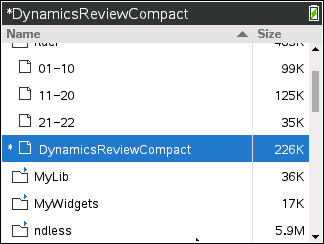
When Files Sent appears, choose Open on the calculator. Later you'll find it under Home → 2 My Documents. Highlight it and press enter.

Read

ctrl ← →
Previous / next page
× ÷ + −
Zoom in / out
Arrows, touchpad
Scroll
5 0
Fit width / whole page
enter
Close-up and back
CX II
USB cable
Chrome or Edge
Your .tns
TI-Nspire CX II Connect start page with the Connect to calculator button
Browser pop-up listing the TI-Nspire CX II handheld to connect
File Transfer page with From calculator and To calculator options
Calculator My Documents list with the converted document highlighted
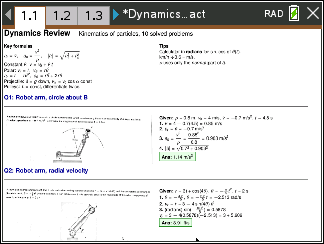
A converted PDF open on the calculator at page 1.1

For your AI

PDFs made for a 320 × 240 screen.

Give this file to ChatGPT, Claude or Gemini along with photos of your problems. It solves them and lays out a compact review PDF sized for the calculator: 4:3 pages, three problems per page, worked steps beside each figure.

  • 16 × 12 cmLandscape pages match the screen, so there's less zooming.
  • 0.3 cmTight margins let the text fill the display.
  • ≤ 10 ppShort files open fast and stay light on memory.
nspire-pdf-instructions.md

Loading…

Troubleshooting

If something's off.

Memory error when opening the document

Convert again with Resolution set to Standard, or lower Pages per file. Big pages at high resolution use more of the calculator's memory.

Connect can't find the calculator

Use Chrome or Edge, make sure the calculator is on, try another USB port or cable, and close anything else using the calculator, like TI-Nspire desktop software.

The file doesn't show up in Connect

Connect only lists .tns files in My Documents itself, not in subfolders.

Text is too small to read

Zoom in with ×, or convert with a higher Resolution. Cropping wide margins out of the PDF first helps a lot too.

My documents disappeared

Press-to-Test (exam) mode hides all documents. Exit it and they come back.

Does my PDF get uploaded anywhere?

No. Rendering and conversion happen on your own computer, inside this page. Nothing is sent to a server.

Bring the whole semester.